
On Site Data Destruction Service Explained

A redundant laptop is not simply unwanted office equipment. It may hold staff records, customer information, financial documents, saved passwords, emails and access credentials. Even where a device no longer starts, its storage media can still expose the organisation that owned it. An on site data destruction service gives businesses a controlled way to remove that risk before equipment leaves their premises.
For organisations retiring servers, laptops, desktop PCs, mobile devices or removable media, the question is rarely whether data should be destroyed. The more useful question is how to prove it was destroyed, who handled it, and what happened to the remaining equipment afterwards. That is where a documented, professional process matters.
What an on site data destruction service involves
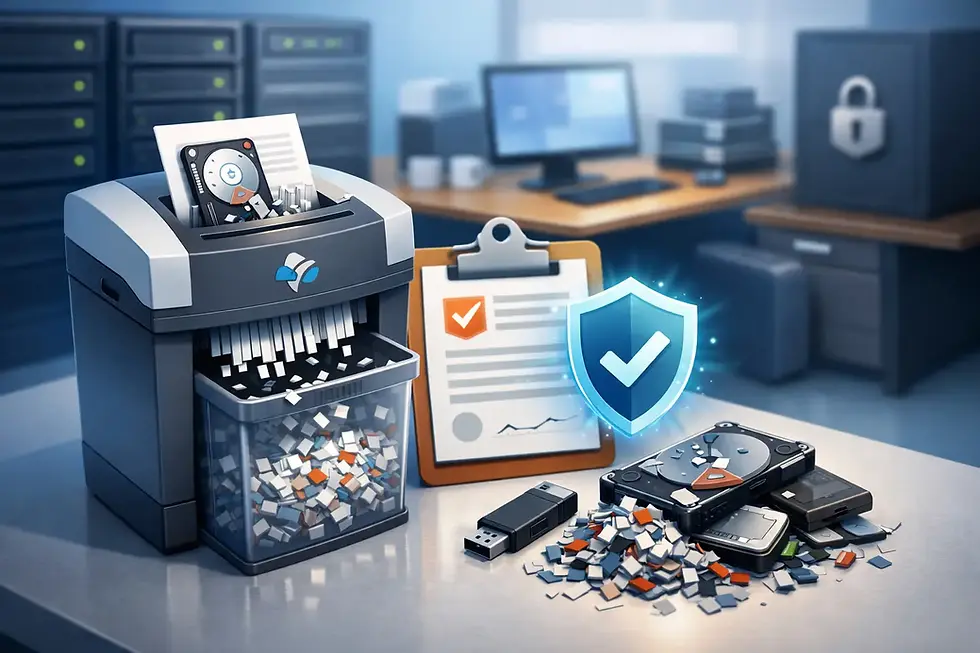
On-site destruction means data-bearing media is destroyed at your location rather than transported elsewhere for destruction. Depending on the media type and agreed method, this may involve physical shredding, crushing, degaussing or the removal and destruction of hard drives and other storage devices from equipment.
The key benefit is visibility. Your authorised representative can witness the work, verify asset details where required and retain a clear record of the process. This can be particularly valuable for businesses with sensitive information, strict internal security policies or audit requirements.
A professional provider should maintain chain-of-custody controls from the point equipment is collected or presented for destruction. That includes identifying the assets or media, recording their handling, securing material awaiting processing and issuing formal certification after destruction. The certificate should make it possible to demonstrate what was processed, when it was processed and by whom.
On-site destruction does not always mean every part of every device must be destroyed. Often, reusable equipment can be assessed first, with the data-bearing component removed for secure destruction. The remaining hardware may then be suitable for refurbishment, resale or WEEE-compliant recycling. This approach can reduce waste and, for newer equipment, may preserve residual value.
When on-site destruction is the right choice
On-site destruction is most suitable where the organisation needs direct oversight of the destruction process. This may apply to public sector teams, schools and universities, financial organisations, legal practices, healthcare-related settings and businesses managing large volumes of confidential client information.
It can also suit organisations that are clearing an office, consolidating sites or replacing a server estate and want media removed before the equipment enters the wider disposal stream. For IT managers, it removes the difficult task of storing retired devices internally while waiting for an approved disposal route.
There is, however, a practical trade-off. On-site processing can take longer than collecting equipment for secure processing at a specialist facility, especially where there are hundreds or thousands of assets. Access constraints, parking, loading arrangements and the type of storage media involved may also affect the method available on the day.
For many organisations, an off-site service with secure transport, recorded chain of custody and certified data destruction is equally appropriate. The right approach depends on your risk assessment, information classification, volume of equipment and the level of witness assurance required. A reliable ITAD provider should explain the options rather than treat one method as suitable for every collection.
Destruction methods must match the media
Not all storage media responds to the same treatment. Traditional hard disk drives contain magnetic platters and can be physically destroyed or degaussed using suitable equipment. Solid-state drives require particular care because information is stored on memory chips rather than magnetic platters. Simply drilling a drive casing may not reliably destroy all chips or make the data irrecoverable.
Modern estates may also include USB drives, memory cards, backup tapes, optical media, smartphones, tablets, network equipment with internal storage and removable server drives. A clear asset survey before collection prevents these items being overlooked.
The destruction method should be appropriate to the device, the sensitivity of the data and the organisation’s own policies. Where equipment is reusable, certified data erasure may be a better environmental and commercial option than physical destruction. Proper erasure enables a device to be refurbished and reused, extending its working life while ensuring data is removed to a verifiable standard.
The important point is that a provider should not make assumptions. Ask how it identifies media types, which method it proposes for each category and what evidence will be supplied afterwards.
Documentation is part of the security control
A data destruction certificate is not an administrative extra. It is a vital part of an organisation’s evidence trail. If a question arises months later during an audit, a supplier review or a data incident investigation, your records need to show that the equipment was handled responsibly.
For higher-volume projects, an asset report can add further assurance. It may record serial numbers, asset tags, device type, make and model, along with the final outcome for each item. This allows IT, compliance and finance teams to reconcile retired equipment against internal asset registers.
Organisations should retain collection notes, destruction certificates, asset reports and any waste documentation in line with their own retention policy. These records support accountability under UK data protection obligations and demonstrate that disposal was managed as a planned process rather than an informal clear-out.
GDPR does not prescribe a single destruction method. It does, however, requires organisations to apply appropriate technical and organisational measures to protect personal data. Leaving devices in an unlocked storeroom, passing them to an unverified recycler or relying on a basic factory reset is unlikely to provide the assurance most businesses need.
Preparing for a secure collection
Preparation makes an on-site project faster, safer and easier to audit. Start by identifying the equipment being retired and separating anything that must be retained, redeployed or reviewed by finance. Where possible, locate chargers, docking stations and associated accessories, particularly if equipment may be suitable for reuse.
Your IT team should also consider whether devices remain connected to management platforms, mobile device management systems or business accounts. These services may need to be removed or updated as part of decommissioning. Data destruction addresses data held on the device; it does not automatically close cloud accounts or remove a device from internal systems.
Before collection, confirm who is authorised to release equipment and who will witness the destruction, if required. Give the provider accurate site details, access instructions and information about lifts, stairs, loading bays and parking. Secure disposal work often needs to fit around a live workplace, so advance planning helps minimise disruption.
For larger clearances, it may be sensible to agree a phased collection. This is especially useful where an office remains operational or where a school, university or public sector site has restricted access times.
Security should continue after destruction
Once data-bearing media has been destroyed or erased, the rest of the equipment still needs a responsible route. Sending mixed IT equipment into a general waste stream creates unnecessary environmental risk and may fail to meet WEEE obligations.
A complete IT asset disposal service should assess whether equipment can be reused, refurbished or remarketed before recycling is considered. Reuse is normally preferable where it is practical and secure. It keeps functional equipment in circulation, reduces demand for new manufacturing and can create a rebate opportunity for qualifying newer assets.
Equipment that cannot be reused should be dismantled and recycled through appropriate WEEE channels. This is not only the environmentally responsible outcome. It also gives organisations a clearer, more defensible account of what happened to their retired technology.
Choosing a provider with the right controls
When comparing providers, look beyond a promise to “wipe” or “recycle” devices. Ask how the collection is secured, whether vehicles are unmarked where discretion is needed, how chain of custody is recorded and which documents you will receive. Confirm whether destruction is witnessed, how media is identified and whether reusable equipment can be processed separately from material requiring physical destruction.
Experience also matters. A provider working regularly with business IT estates will understand the practical realities of server rooms, office moves, school holidays, access restrictions and mixed equipment inventories. It should be able to explain the process plainly, without leaving your team to interpret vague assurances.
Bioteknik supports organisations across London, Kent and Canterbury, Essex and East London, Reading and the Thames Valley, Cambridge and surrounding areas, and Sussex. For larger projects, wider UK coverage may also be available. The aim is not simply to remove old equipment, but to provide a traceable route from collection through data security, reuse or recycling.
The best time to arrange secure destruction is before retired equipment starts accumulating. A planned collection, a clear asset record and the right evidence afterwards can turn a potential data risk into a controlled, accountable part of your IT lifecycle.


Comments