
Best Business Computer Disposal Services

A redundant laptop in a cupboard can be a data protection liability, not just an item waiting to be cleared. The best business computer disposal services protect information from the moment equipment leaves your premises, provide evidence of what happened to every asset, and ensure unusable hardware is handled responsibly.
For IT managers, facilities teams and compliance officers, the decision is rarely about finding the cheapest collection. It is about reducing risk without creating extra work for internal staff. A capable IT asset disposal provider should manage collection logistics, data-bearing devices, documentation, recycling and asset recovery as one controlled process.
What separates the best business computer disposal services?
A business disposal service should be judged by its controls, not simply by whether it takes old equipment away. Computers, servers, phones, storage arrays, printers and networking equipment may contain personal data, commercially sensitive files, credentials or licensed software. Your organisation remains responsible for that information even after the device is no longer in use.
The strongest providers build their service around a clear chain of custody. This starts with an agreed collection, continues through secure transport and documented handling, and ends with verified data destruction, reuse or WEEE-compliant recycling. At each stage, there should be records that can be retained for an audit, a data protection review or internal asset register.
A useful test is straightforward: if a provider cannot explain where your equipment goes, who handles it and what certificate you will receive, it is unlikely to offer the level of accountability most organisations need.
Secure data destruction comes before recycling
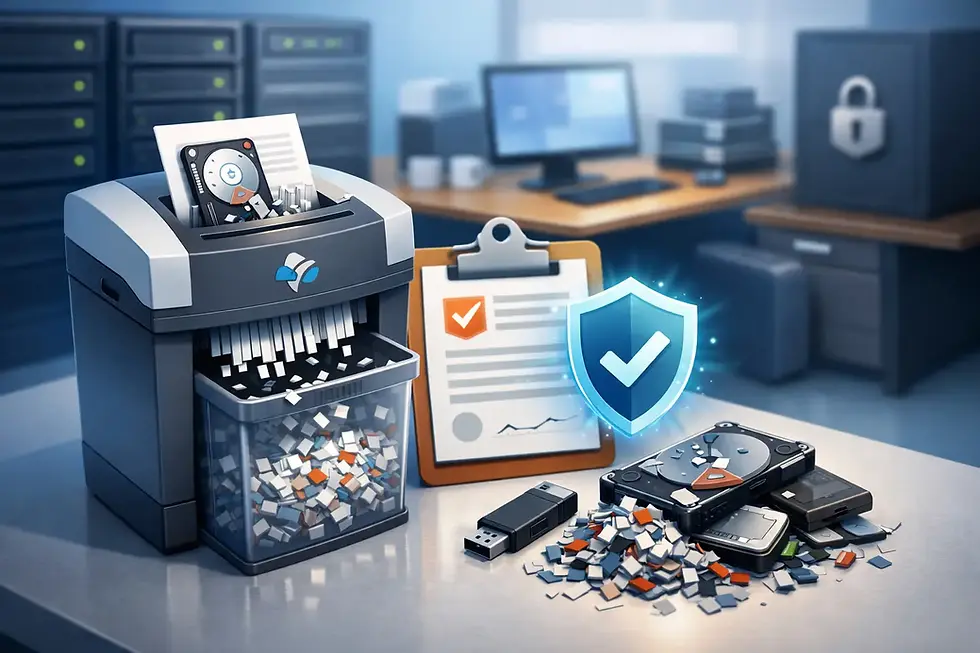
Recycling a device is not the same as removing its data. A computer that has been reset, reformatted or switched off may still contain recoverable information. This is especially relevant for hard disk drives, solid-state drives, mobile devices, backup media and servers with multiple storage components.
The appropriate destruction method depends on the media and your organisation's risk profile. Certified software erasure can be suitable for working drives where reuse is possible, provided it is performed to a recognised standard and produces an auditable report. Physical destruction may be required for failed drives, highly sensitive data or devices that cannot be wiped reliably.
On-site destruction can give organisations additional reassurance where equipment cannot leave the premises with data intact. Off-site destruction can be equally appropriate when secure collection and controlled processing are in place. The key issue is not the location alone, but the documented process, the security of transport and the certificate confirming completion.
Ask for meaningful documentation
A certificate should do more than state that a collection took place. Depending on the service, your records may include an asset list, serial numbers, data destruction reporting, a certificate of destruction and evidence of WEEE-compliant treatment. These documents help demonstrate that your business took reasonable, accountable steps to safeguard data and manage waste correctly.
Before booking a collection, establish whether reporting can be matched to individual assets or batches. For a small office clear-out, batch-level records may be sufficient. For schools, financial organisations, public sector bodies and larger corporate estates, detailed asset-level reporting is often more useful.
Compliance should be practical, not vague
UK organisations need to consider data protection obligations alongside waste regulations. GDPR and UK data protection law require appropriate security for personal data throughout its lifecycle, including disposal. The WEEE regulations place duties around the proper treatment and recycling of electrical and electronic equipment.
That does not mean every organisation needs to become an ITAD specialist. It does mean the disposal partner should make compliance easier to evidence. Look for clear procedures, appropriate environmental handling, secure processing facilities and formal certificates. ISO-led standards and established operating controls can also provide reassurance, but they should be supported by real process detail rather than used as a marketing label.
Be cautious of providers that promise to recycle everything without discussing data destruction, downstream treatment or paperwork. A low headline price can become expensive if a missing device, incomplete certificate or improper disposal creates an incident later.
Collection logistics matter more than many buyers expect
Disposal projects often fail at the practical stage. Equipment may be spread across several floors, stored in a locked comms room or mixed with non-IT electrical items. There may be restrictions on loading bays, visitor access, collection times or the use of branded vehicles.
The best business computer disposal services plan around those realities. They agree the equipment scope in advance, arrange suitable collection times and use secure transport. Unmarked vehicles can be valuable where discretion is required, while a trained collection team reduces the need for employees to move bulky or awkward equipment themselves.
For organisations across London, Kent and Canterbury, Essex and East London, Reading and the Thames Valley, Cambridge and surrounding areas, and Sussex, regional coverage can make collections quicker to arrange and easier to coordinate. Larger projects may also require UK-wide support, particularly where an organisation is consolidating equipment from multiple sites.
Reuse and resale can improve the outcome
Not every redundant device is waste. Recent laptops, desktops, servers and network equipment may retain residual value, particularly if they are in working condition and have usable specifications. A responsible provider will assess equipment after secure data removal and identify assets suitable for refurbishment or resale.
This approach has two practical benefits. It keeps working technology in use for longer, reducing unnecessary electronic waste, and it can generate a rebate that offsets disposal costs. It may also support free collection for qualifying volumes, although eligibility will depend on the type, quantity, age and condition of the equipment.
There is a trade-off. Equipment with high resale value generally requires accurate asset information and secure, verifiable erasure before it can be remarketed. If time is limited or devices contain sensitive information that cannot leave site intact, physical destruction may be the more appropriate route. A good provider will explain those choices clearly rather than push every item towards resale.
Questions to ask before appointing a provider
Choosing an IT disposal partner should involve more than requesting a price. Ask how data is handled from collection through final processing, whether the provider offers on-site and off-site destruction, and what documentation you will receive. Confirm how reusable equipment is tested and where non-reusable materials are sent for treatment.
It is also worth asking whether collection costs are fixed, whether minimum quantities apply and whether the provider can handle equipment beyond computers. A complete collection may include monitors, printers, cables, mobile phones, tablets, servers, UPS units, networking equipment and other redundant electrical items. Clarifying the scope early prevents surprises on collection day.
Finally, consider experience. Providers with a long operating history understand that every collection has different security, access and reporting requirements. Bioteknik, for example, combines secure collection, certified data destruction, refurbishment and WEEE-compliant recycling for organisations that need one accountable process.
Build disposal into your IT lifecycle
The most efficient organisations do not wait for a storage room to fill before considering disposal. They maintain an asset register, identify data-bearing equipment at retirement and schedule collections as part of refresh projects, office moves and site closures. This gives teams time to choose the right destruction method, recover value from suitable assets and retain complete records.
Keep a simple internal handover process: identify the asset, remove it from active use, record its serial number where needed and place it in a controlled area before collection. Your disposal provider can then take over the specialist work without gaps in accountability.
The right service leaves your workplace clearer, your records stronger and your retired technology dealt with responsibly. That is the standard worth setting before the next refresh project begins.


Comments